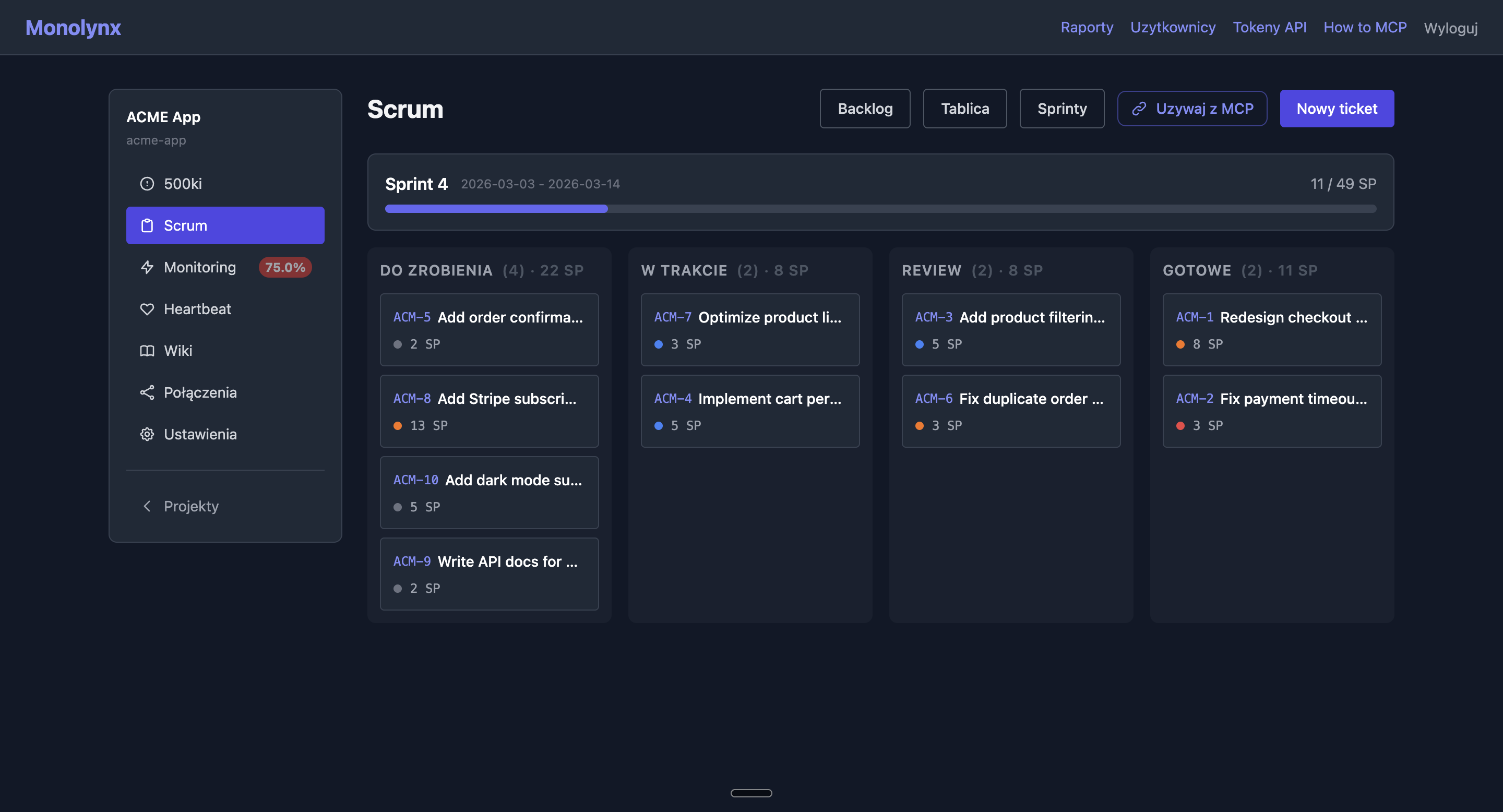
Full Scrum toolkit: backlog with advanced filtering, Kanban board with HTMX status updates, sprints with velocity tracking, Markdown comments, and time logging.
Four status columns: todo → in_progress → in_review → done. Status updates via HTMX — no page reload.
Filter by status, priority, assignee, sprint, and search by title. Pagination at 20 tickets per page.
Create, start, and complete sprints. On completion, unfinished tickets return to backlog. Only one active sprint at a time.
Assign points to tickets. System aggregates them per sprint to track team velocity.
Discussions on tickets with full Markdown support. Rendered with Tailwind prose for clean formatting.
Add time entries with descriptions. Status workflow: draft → submitted → approved/rejected.
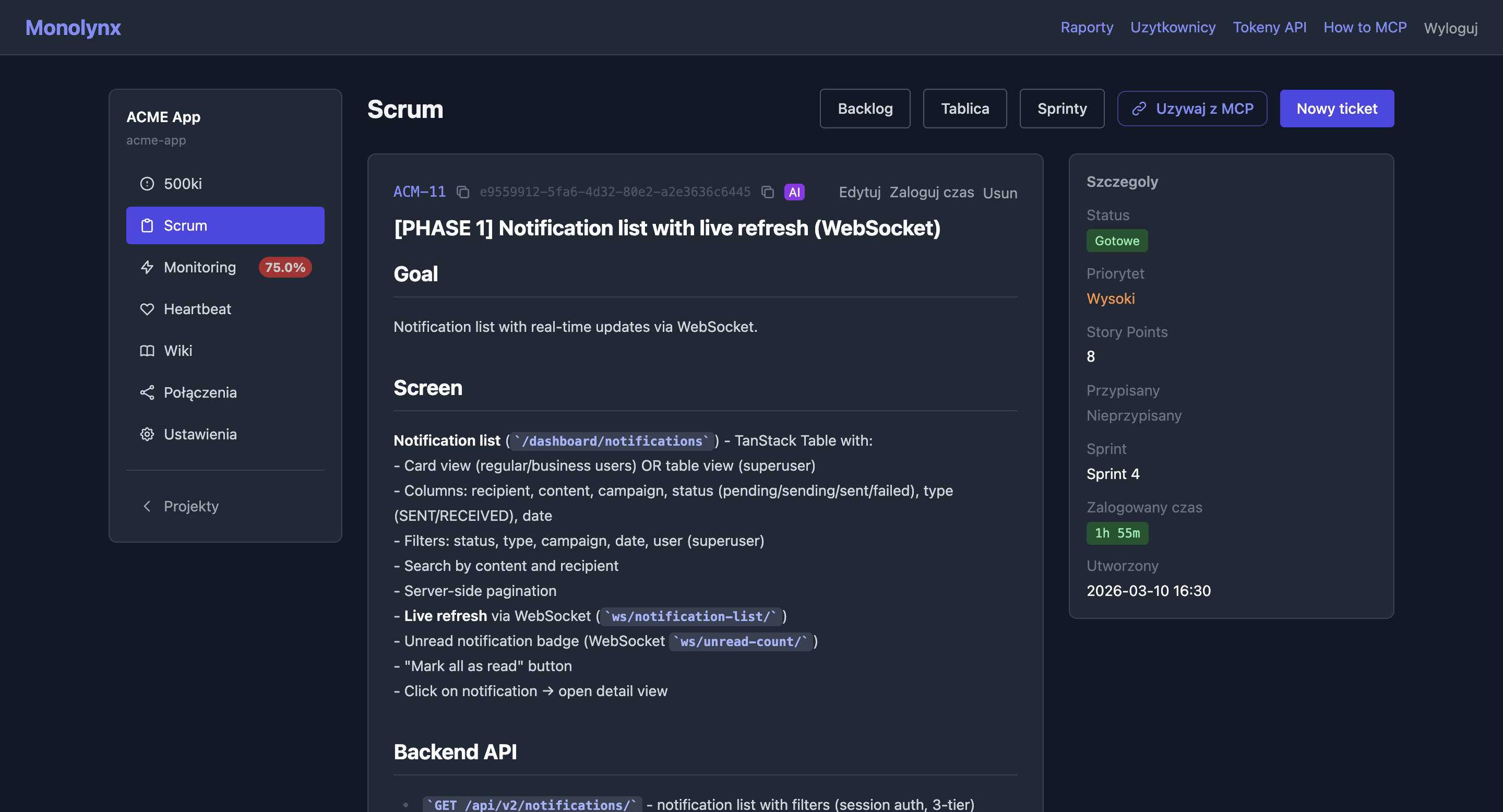
Each ticket gets a unique number per project (e.g., PIM-1, PIM-2). Auto-increment per project.
Create a ticket directly from an error — description auto-fills with stacktrace and request context.
Pick blockers for a ticket right in the create or edit form - validated for same-project membership, self-reference, and direct cycles. Ticket detail shows a "Dependencies" section with a link and status for each blocker, and the backlog and Kanban board flag a blocked ticket with a badge. The AI agent sets dependencies via create_ticket/update_ticket (blocked_by_ids), also visible in the get_ticket MCP tool result under "Dependencies". Plugin skills respect blockers: work and work-simple stop on an open blocker, sprint-run does not start such a ticket, ticket-create stores blockers structurally, and next takes them into account when recommending.
Set a name, goal, start and end dates.
Create tickets with title, Markdown description, priority, and story points.
Assign tickets to the sprint and start it. The Kanban board becomes active.
Update statuses on the Kanban board. Add comments and log time.
Unfinished tickets automatically return to backlog. Check velocity in reports.
Your AI agent can manage the entire Scrum cycle: create tickets, move between sprints, add comments, labels, attachments, and log time — 17 MCP tools.
Available MCP tools
list_tickets
Filter by status, priority, sprint, text search
search_tickets
Advanced ticket search with full-text filtering
create_ticket
Create with auto-numbering, optional sprint and assignee
update_ticket
Change title, description, status, priority, story points
get_board
Current Kanban board state with all columns
create_sprint
New sprint with name, goal, and dates
update_sprint
Edit sprint name, goal or dates
start_sprint / complete_sprint
Sprint lifecycle management
bulk_update_tickets
Bulk update status, priority or sprint for multiple tickets
add_comment
Add Markdown comment to a ticket
add_attachment
Add attachment to ticket (base64, max 200MB)
get_attachment
Get attachment content (base64, images as data URI)
log_time
Log work hours with description
list_labels
List project labels with assigned ticket counts
create_label
Create a new label with name and color
get_burndown
Burndown chart data — ideal/actual line, velocity, forecast
get_activity_log
Project activity log
Error tracking
URL health checks
Cron job monitoring
Documentation & RAG search
Dependency graph
Work analytics & PDF export
Cross-project billing & attachments
Personal cross-project scheduling
AI agent work observability
Work from the terminal
Public blog readable by people and AI